Education
November 23, 2026
5 Elements of an AI Workflow Your Team Can Trust
# Artificial Intelligence
# Workflow
# Summit
# Vietnam Summit
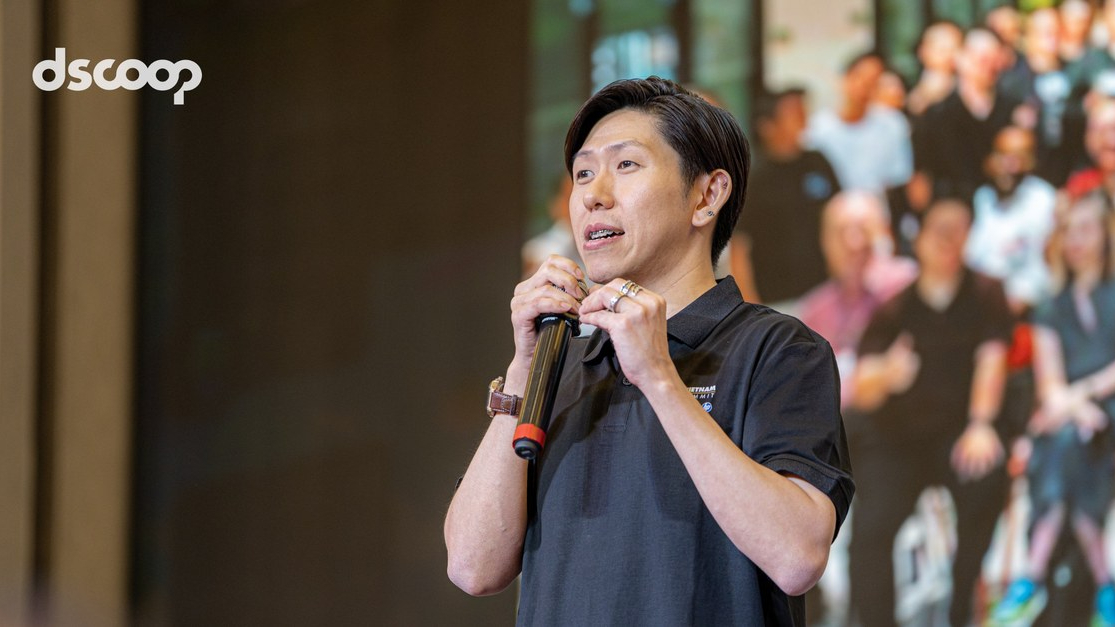
In the second of a 2-part series from the Dscoop Vietnam Summit 2026, Freddy Lim’s “Too Fast to Predict” workshop shows PSPs how to turn what they already know into AI workflows that hold up in production, and how to start in 30 days.
Note: Part 1 of this series(opens in a new tab) covered the six levels of AI adoption and how to find where your business stands.
Getting AI to do something impressive once is easy. Getting it to do the right thing every time a quote request lands in your inbox is the real work. That was the focus of the second half of Freddy Lim’s “Too Fast to Predict” workshop at the Dscoop Vietnam Summit 2026.
Below, Freddy, of the Claude Singapore Community, turns to what comes next: building workflows that hold up in production. His central point is that the technology is rarely the hard part. A workflow can only be as reliable as the rules behind it, and most print businesses have never written theirs down.
Every workflow needs 5 elements
Freddy said every reliable AI workflow answers five questions.
1. Trigger: What starts it? It could be a quote request by email, an artwork upload, or a deposit received. Define it precisely, he said, or the system will mistake an unrelated customer message for a job and start the wrong process.
2. Context: What can the AI see? Price lists, substrates, past quotes, and production capacity all help. What it can’t see matters just as much. Freddy warned against handing AI every company file just because some of it might be useful. Decide which sources are permitted, which one is authoritative, and what happens when two of them disagree.
3. Decision: What must it determine? Is the job information complete? Is the turnaround achievable? Is the margin in range? An instruction like “do what’s best” won’t get you there. AI can apply your business rules at speed, Freddy said, but it can’t reliably invent rules nobody has defined.
4. Action: What is it allowed to do? Permission should match risk. Drafting an email for review is low stakes; sending a binding quote on its own is not. Start with limited authority and expand it only after the workflow proves itself.
5. Control: Where must a person step in? Large quotes, thin margins, nonstandard products, conflicting information, and low AI confidence all call for a human. Too much control erases the benefit of automation, and too little creates unacceptable risk. The goal is to put people where experience, judgment, and accountability matter most.
A 3-day prototype and a useful stumble
To show the framework in action, Freddy built a prototype for a printing business in about three days. An incoming email with artwork is recognized as a quote request. The system pulls out the job specs, flags missing information, and runs basic artwork checks, such as catching an RGB file where CMYK is required. Then it prepares the quote, drafts the reply, and sends the customer a link to approve and pay a deposit. From there, a connected workflow can confirm the payment, update the job status, notify the account manager, and release the job to production planning.
The value, he said, comes from connecting those steps. A quote generator saves time. A quote that flows straight into approval, payment, and production changes how the business runs.
Freddy was candid that this was a demonstration, not a production-ready system. A real artwork check would need rules for bleed, fonts, spot colors, white-ink layers, cutting paths, substrate compatibility, and more. The AI can’t know your tolerance for any of those unless your prepress, estimating, and production experts define it.Then came the moment that made the lesson stick. His scheduling demo, built to move jobs through printing, coating, cutting, folding, and packing with locked slots and priorities, didn’t behave as expected on stage. Freddy acknowledged the rules hadn’t been defined well enough.
For PSPs, that stumble may be the most valuable minute of the session. AI can’t make up for an incomplete understanding of your production process. Leave out the dependencies, exceptions, and constraints, and you get a schedule that looks efficient on screen and can’t be run on your floor.
Clean data before clever answers
Once AI has controlled access to reliable data, managers can ask questions in plain language: Which customers owe us money? Which jobs are at risk of missing delivery? Which machine has the most unused capacity? Freddy cautioned that the answers are only as dependable as the data underneath. The AI should show its evidence, including what it consulted, how current it is, and what’s confirmed versus estimated.
Most print businesses keep information scattered across email, spreadsheets, accounting systems, production software, and individual employees’ files. If a customer’s name is spelled three ways in three systems, an AI report may count one customer as three. Before you expect reliable analysis, decide where each kind of information lives, which system holds the official record, and who keeps it current.
The same discipline applies to connections. Freddy recommended giving AI reusable instructions, or “skills,” that describe how your company handles a task, such as your pricing rules, approval thresholds, and escalation steps for quotes. Connectors and APIs can then give it controlled access to email, storage, or your CRM. Connect only what has a business reason, since every connection adds both capability and risk.
You don’t need to code, but you do need to know the job
When an audience member asked how someone without a computer science background could start building a tool, Freddy’s answer was practical. Create a dedicated project folder, describe the business problem in ordinary language, and let the AI help plan the application and ask clarifying questions. For a paper-optimization tool, it might ask about sheet sizes, bleed, grain direction, and cutting method. Build a limited first version, test it, and refine.
If writing a technical prompt feels intimidating, he suggested talking it through with voice input and asking the AI to organize your thoughts.
The catch: You don’t have to code every feature, but you do have to understand the business problem well enough to judge whether the result is right.
Prototype fast, test hard
AI makes prototypes fast, but a prototype only proves a concept might work, Freddy said. A production system also needs security, permissions, error handling, backups, audit trails, monitoring, and someone accountable for maintaining it.
Test beyond the ideal examples. Send your quote workflow a corrupt file, conflicting dimensions, an unsupported substrate, a rush job, a customer with special pricing, or an inquiry in an unexpected language. Find where it breaks before your customers or production team depend on it.
Confidential data raises the stakes. Depending on where you operate and whom you serve, you may need to know where information is stored and processed, whether prompts are retained or used for training, and whether data must stay in a specific country. For organizations with strict requirements, Freddy pointed to enterprise routes through cloud providers such as AWS, Microsoft Azure, Google Cloud, and Alibaba Cloud, including Amazon Bedrock for accessing models such as Claude. Bring your technical, legal, and security specialists in early.
As for which AI product is best, Freddy advised against chasing the market leader of the month, because models change too fast. Judge a platform on its fit for your workflow, accuracy, integrations, data-handling terms, cost, and language support. For most everyday tasks, the quality of your workflow, instructions, and data matters more than small differences between leading models.
Your first 30 days
Freddy’s advice adds up to a first-month plan.
Week 1: Assess. Document how employees already use AI, and list the recurring tasks that eat time or cause preventable errors, such as quotes, file checks, job tickets, or overdue-invoice follow-ups.
Week 2: Pick one. Choose a single workflow with clear value and manageable risk. Define its trigger, context, decisions, permitted actions, human controls, and measures of success. Don’t start with your biggest, messiest process.
Week 3: Prototype. Build a limited version with sample or nonsensitive data. Test ordinary and unusual cases, and log every wrong assumption and missing rule.
Week 4: Evaluate. Compare the prototype with your current process on time saved, errors reduced, customer impact, new risks, and ongoing costs. Then decide whether to proceed, redesign, or choose a different problem.
The ingredient you already have
Freddy’s session made one thing clear: Successful AI adoption starts with understanding your business. The model comes later. PSPs already hold the most important ingredient, which is deep knowledge of their customers, artwork, substrates, equipment, and delivery expectations. The opportunity is to turn that knowledge into rules AI can follow.
Start with one process. Define the five elements. Build small, test hard, measure, and improve one step at a time.
***
Want to keep the conversation going? Connect with Freddy Lim(opens in a new tab) to talk about turning your ideas into practical AI workflows.
Sign in or Join the community
Innovating Print, Together

Create an account
Innovating Print, Together